Integração com o WooCommerce
Obtenha as suas credenciais da API WooCommerce
1. Primeiro, obtenha as suas credenciais WC API:
- Go to your store’s WooCommerce dashboard.
- Selecione Settings > Advanced > REST API.
- Crie uma nova chave especificando um nome e permissões (leitura/escrita) e guarde-a.
- O seu Consumer Key e Consumer Secret aparecerá. Guarde estes detalhes, pois serão necessários para a integração.
Leia mais sobre a API REST do WooCommerce aqui: Documentação da API WooCommerce.
Importar produtos WooCommerce
2. Ligar à API WooCommerce:
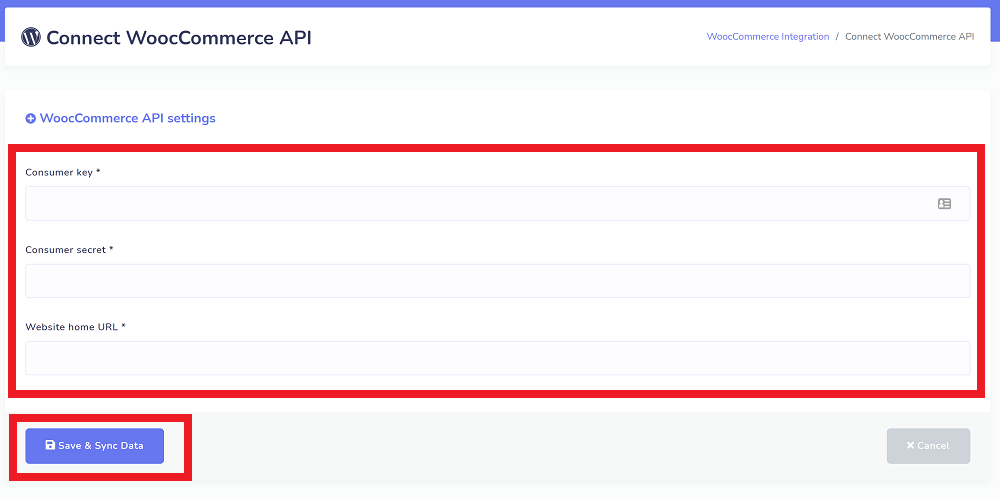
- Na plataforma StartMsg, aceda ao menu WooCommerce API menu.
- Introduza a sua consumer key, consumer secret e o URL do seu site WordPress.
- Clique Guardar e Sincronizar Dados.
Isto importará automaticamente todos os seus produtos WooCommerce, categorias e atributos associados, para o sistema StartMsg.
Confirmar uma integração bem-sucedida
3. Confirmar uma integração bem-sucedida:
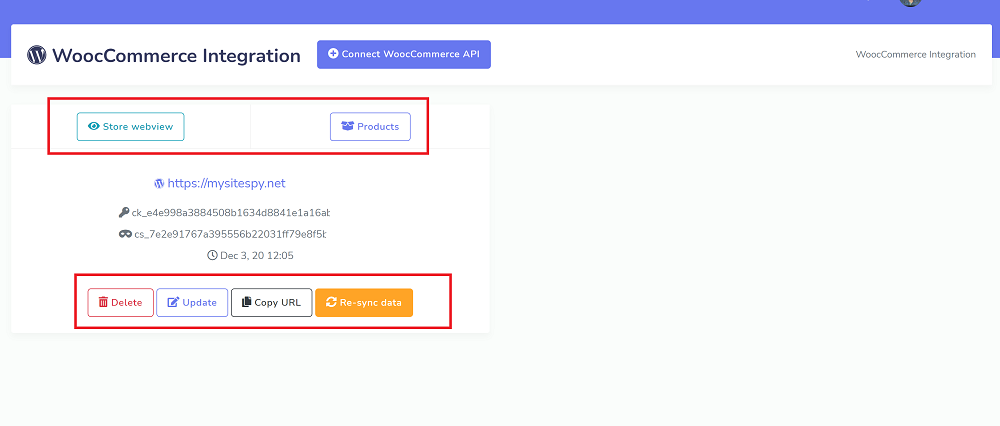
- Será apresentada uma visão geral de uma integração bem-sucedida como uma lista.
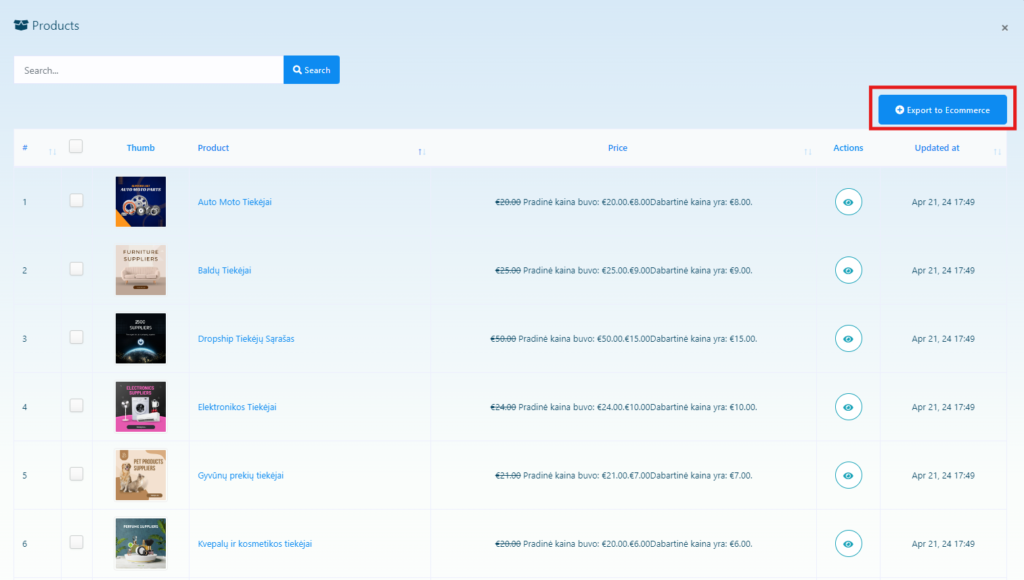
Ao clicar no Pré-visualização da loja botão abre a página de pré-visualização da loja. Clicar no Produtos botão mostra todos os produtos importados, e clicando no ícone de olho pode pré-visualizar a página do produto.
Criar um chatbot com produtos WC
4. Criar um bot com produtos WC:
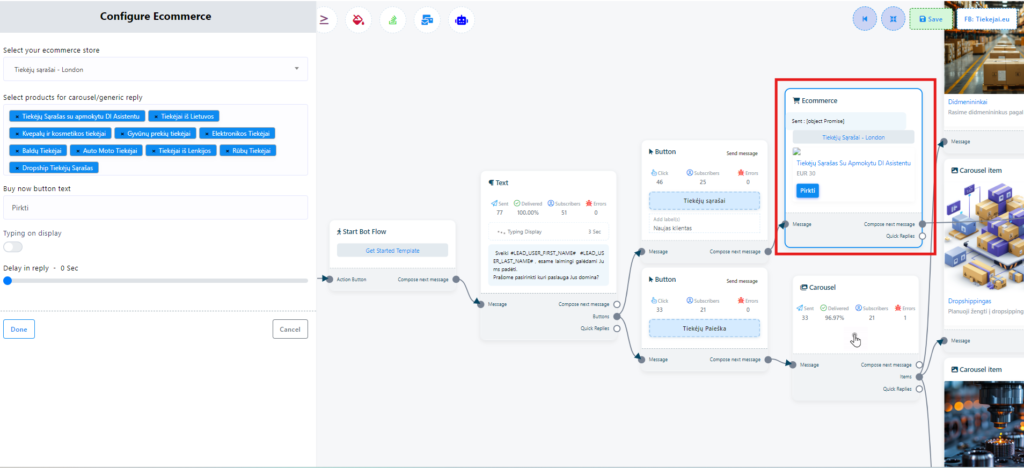
- Usando a webview ou comércio eletrónico funcionalidade pode criar bots que usam os produtos WC importados ou aqueles que criou. Basta selecionar uma loja e produtos da lista.
- Para obter os links URL dos produtos, visite a menu de e-commerce e clique no Copiar URL botão.
Exportar produtos WC para E-Commerce
5. Exportar produtos para E-Commerce:
- Na página de lista de produtos, selecione os produtos WC pretendidos e exporte-os para Comércio eletrónico com um único clique.
- Note que o E-Commerce ainda não suporta várias categorias, pelo que apenas a primeira categoria WC será usada na exportação.
- Além disso, devido a variações de produto, o preço dos produtos exportados pode ser definido como zero. Nesses casos, os preços terão de ser ajustados manualmente.