WooCommerce Integration

Get your WooCommerce API credentials
1. First, get your WC API credentials:
- Go to your store’s WooCommerce dashboard.
- Select Settings > Advanced > REST API.
- Create a new key by specifying a name and permissions (read/write), and save it.
- Your Consumer Key and Consumer Secret will appear. Save these details, as they will be needed for the integration.
Read more about the WooCommerce REST API here: WooCommerce API documentation.
Importing WooCommerce products
2. Connect to the WooCommerce API:
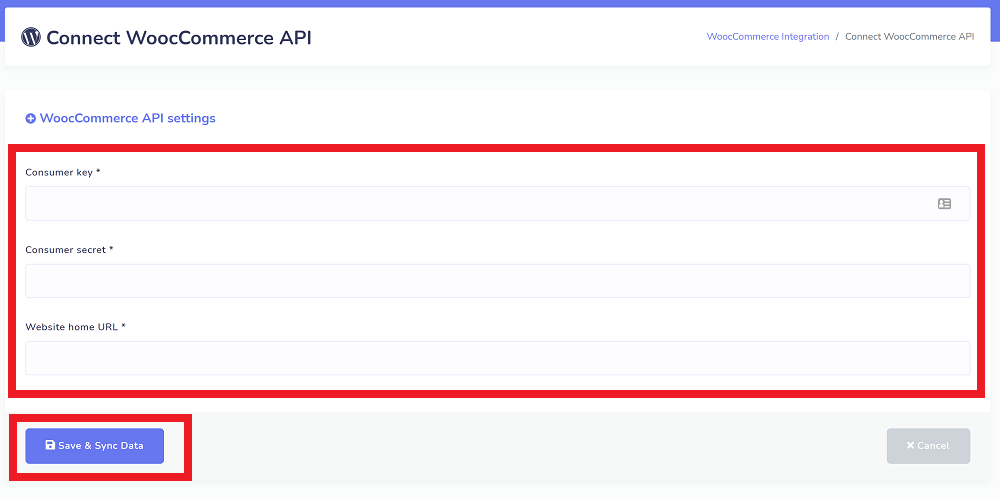
- In the StartMsg platform, go to the WooCommerce API menu.
- Enter your consumer key, consumer secret and your WordPress website URL.
- Press Save and Sync Data.
This will automatically import all your WooCommerce products, their related categories and attributes into the StartMsg system.
Confirming a successful integration
3. Confirming a successful integration:
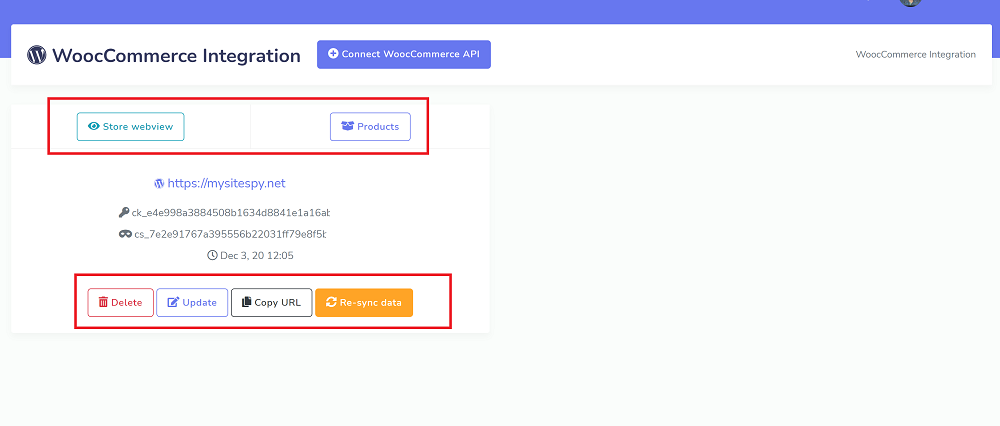
- A sample overview of a successful integration will be shown as a list.
Pressing the Store preview button opens the store preview page. Pressing the Products button shows all imported products, and clicking the eye icon lets you preview the product page.
Build a chatbot with WC products
4. Building a bot using WC products:
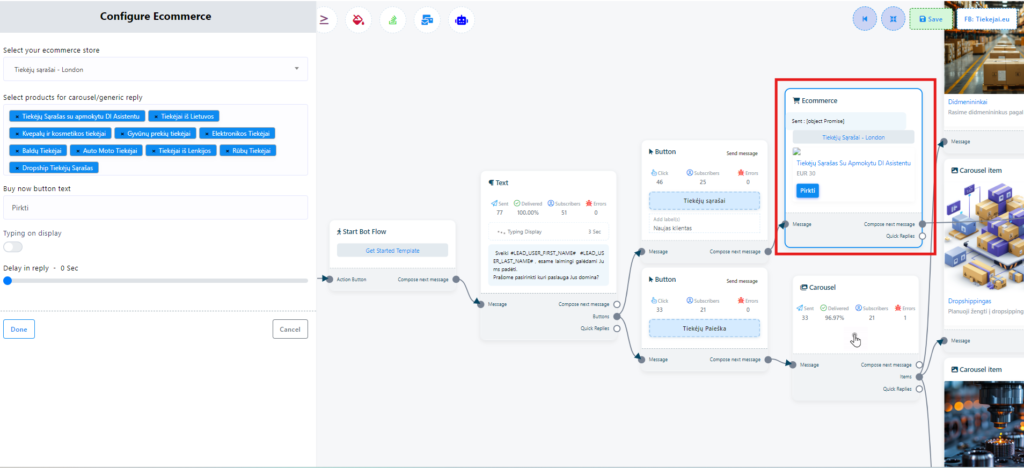
- Using the webview or ecommerce feature, you can build bots that use the imported WC products or ones you have created. Just select a store and products from the store list.
- To get the product URL links, visit the ecommerce menu and press the Copy URL button.
Exporting WC products to E-Commerce
5. Exporting products to E-Commerce:
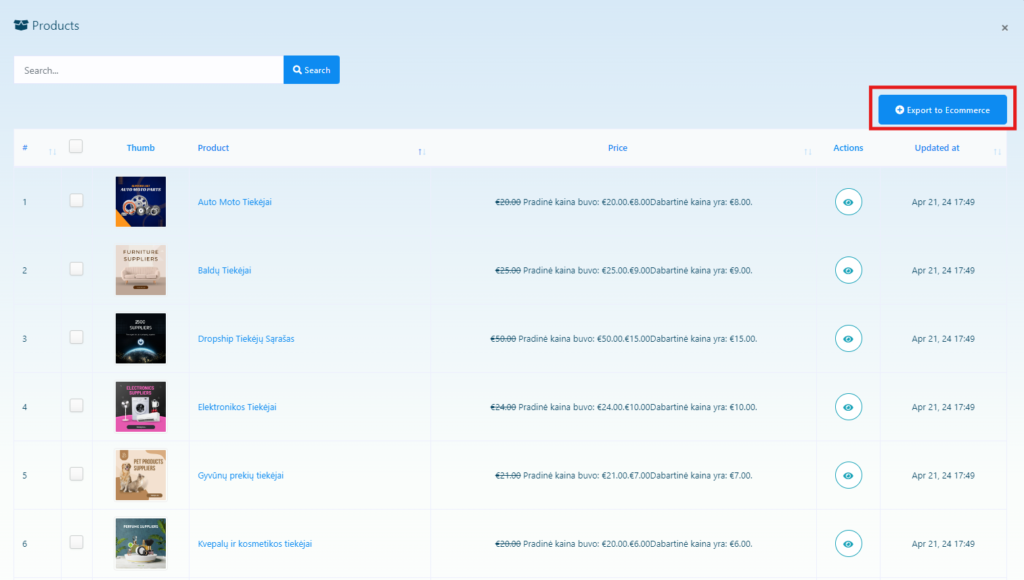
- On the product list page, select the WC products you want and export them to E-commerce with a single click.
- Please note that E-Commerce does not yet support multiple categories, so only the first WC category will be used during export.
- Also, due to product variations, the price of exported products may be set to zero. In such cases the prices will need to be adjusted manually.